How to Listen
Listen on iPhone & iPad
Use a free third-party player so you can enjoy your audiobooks offline on iOS.
To listen offline on your iPhone or iPad you need a third-party audio player. We recommend a free, easy-to-use app from the App Store.
Step 1 — Install a Book Player
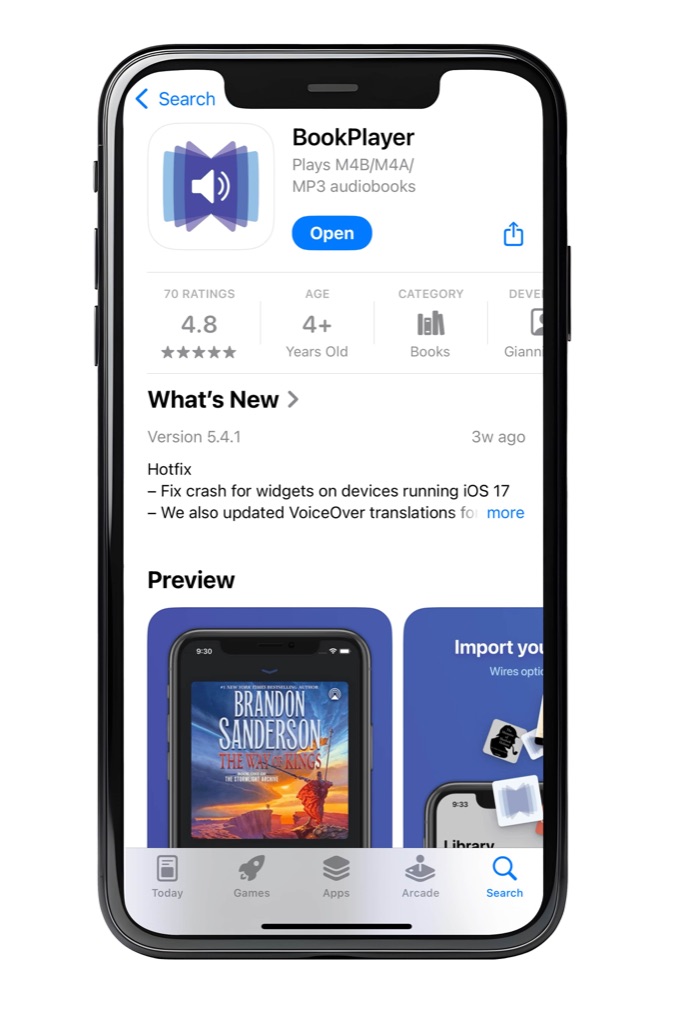
Open the App Store, search for a Book Player app and install it. This will be your main app for playing audiobooks.
Step 2 — Download your audiobook
- Sign in to your account on raksBooks.com.
- Open My Account → My Library.
- Tap the download button next to the audiobook you want.
Step 3 — Add the file to the player
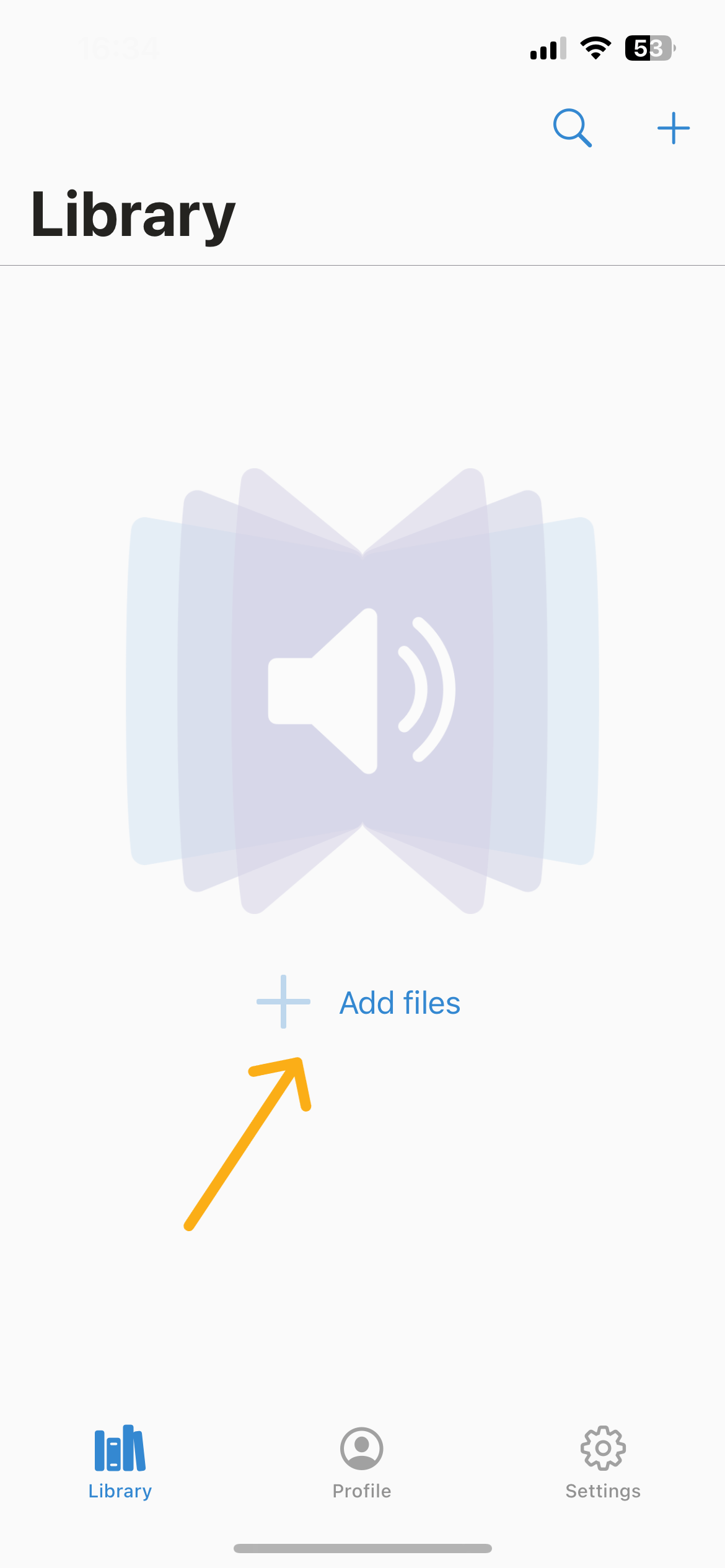
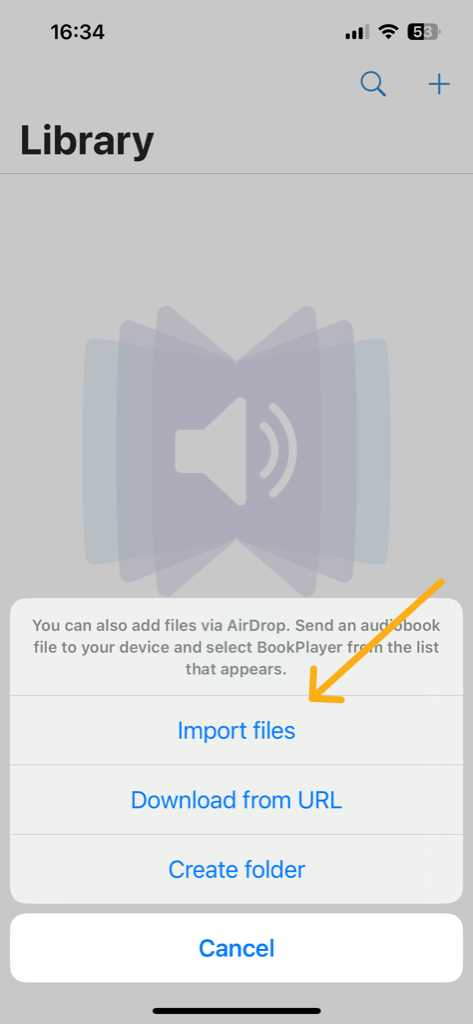
- Open the Book Player app and go to the Library section.
- Tap Add Files, then choose Import Files.
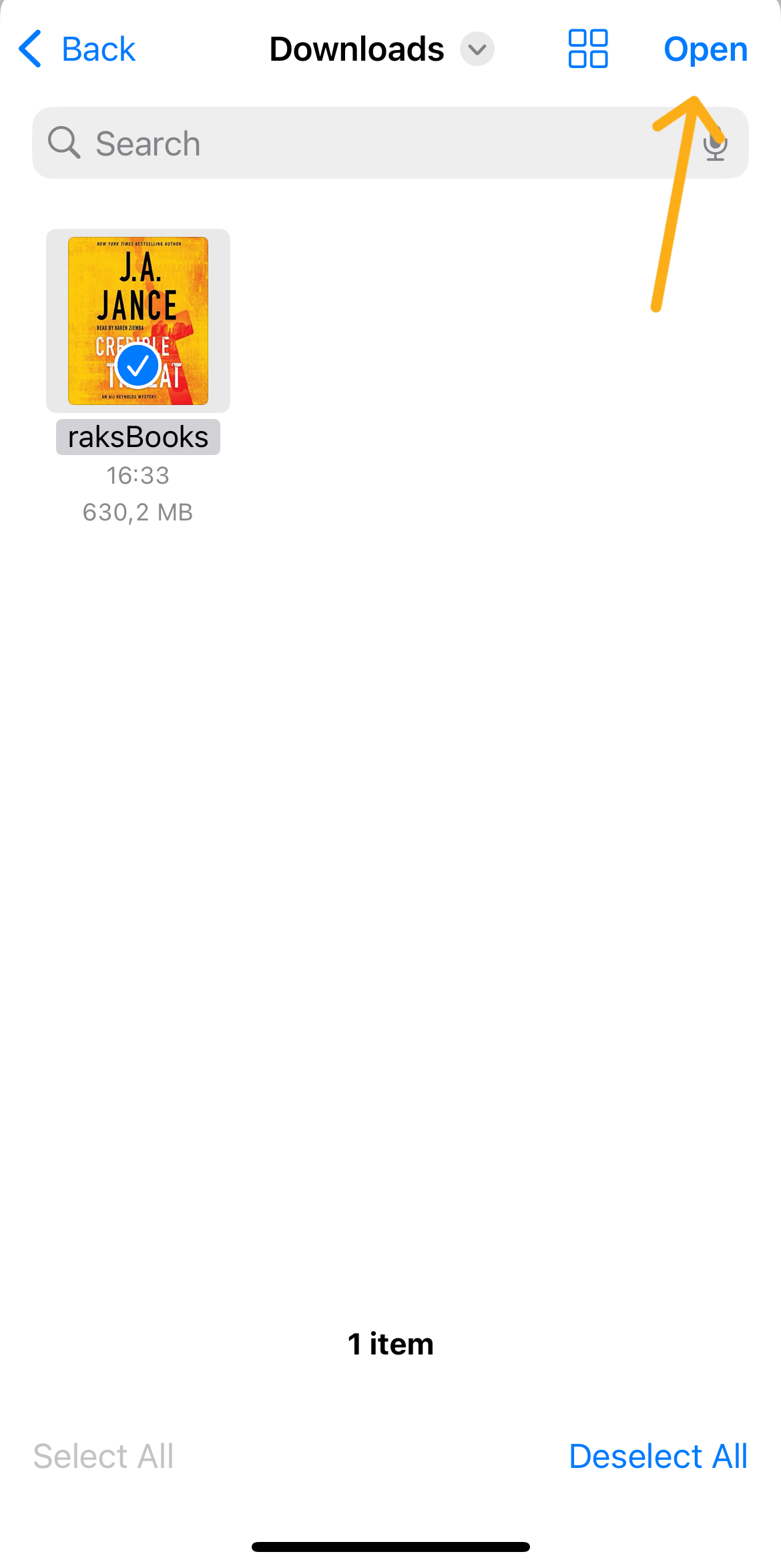
- Open On My iPhone → Downloads and select the audiobook file.
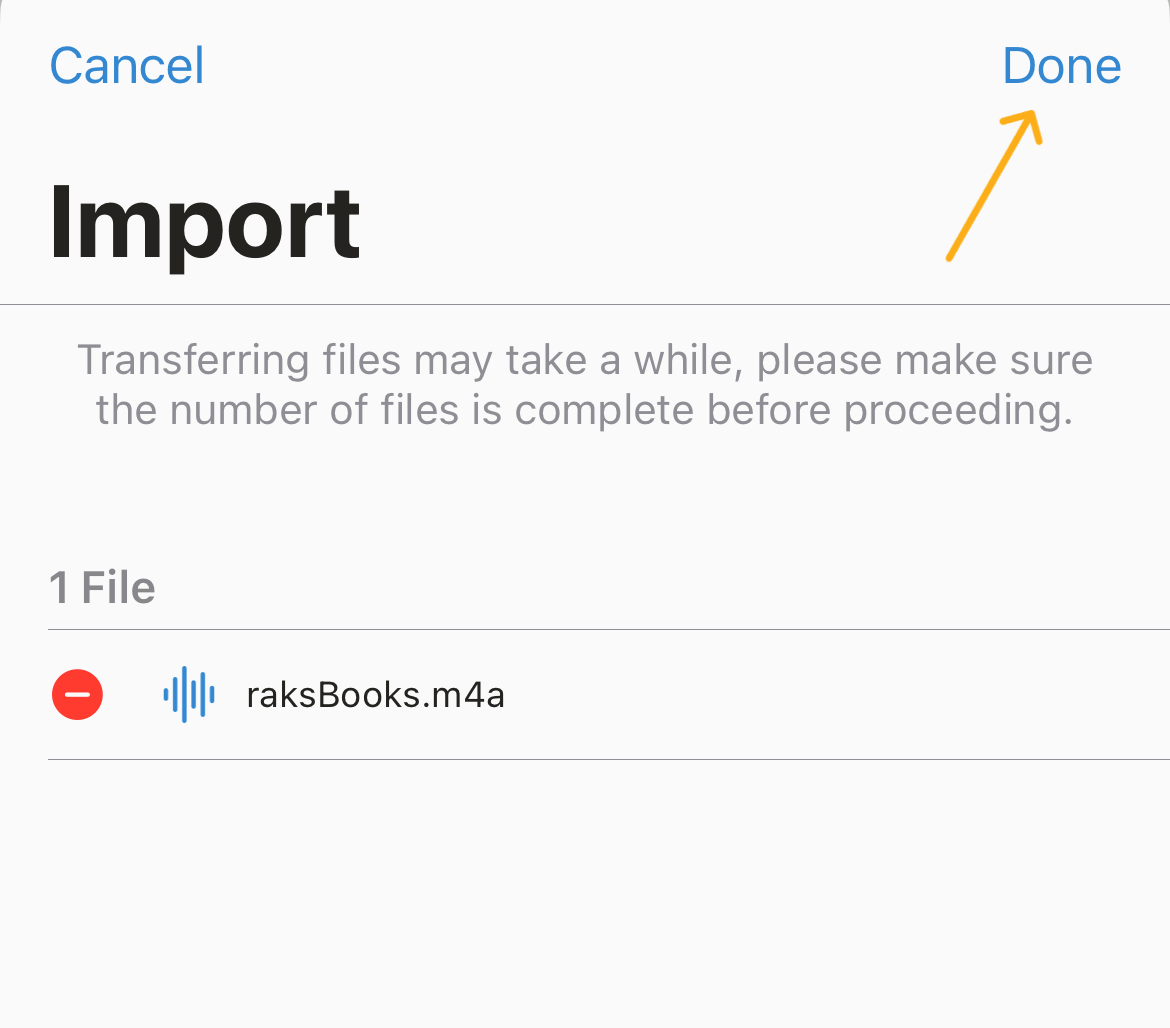
- Tap Open, then Done in the top right.
Step 4 — Play and navigate chapters
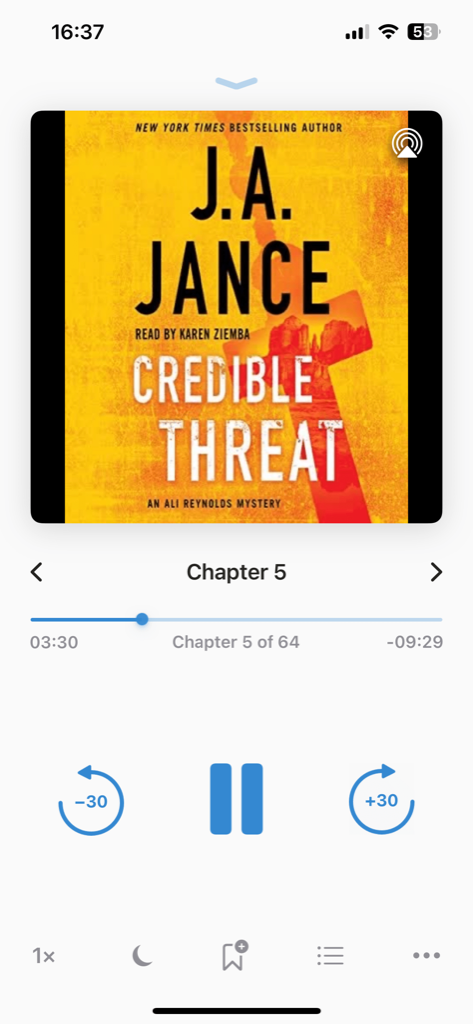
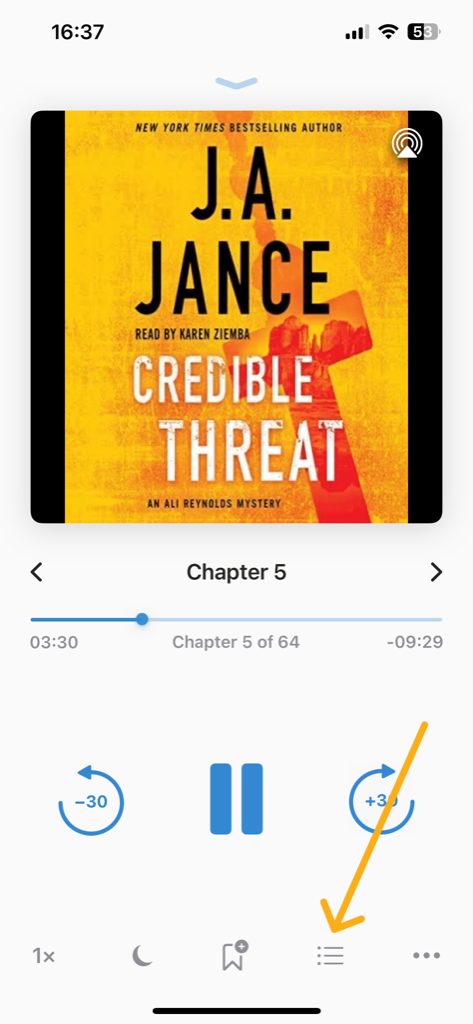
Tap the imported audiobook to start playback. You can organise your library into folders, and if the book is split into chapters you can jump between them from the player’s chapter menu.